Should you need to reset the root password on a SCO OpenServer 5 system, the procedure is quite simple, do the following:
-
Boot from your Emergency Boot Disk, if you do not have one, you can download one from here.
-
Type the following commands:
mount /dev/hd0root /mnt /mnt/bin/chroot /mnt /bin/su root passwd -
You should then get the change password prompt:
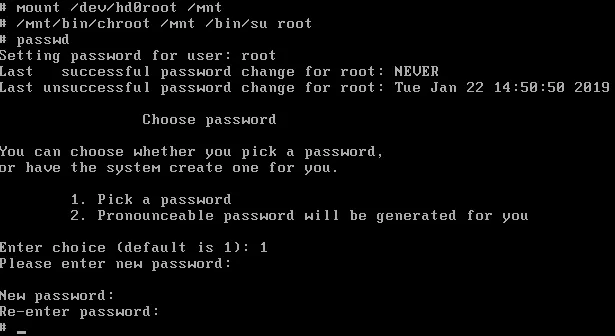
-
Then reboot the system with:
sync;sync;sync;reboot -
Login with your new root password.
Here is a video of the procedure:
This example was done with SCO OpenServer 5.0.7 – I used a virtual 2.88Mb floppy with both boot and root file-system support.